
Best AI Tools for Data Analysis are changing the way businesses, students, and professionals work with data in 2026. But now you do not need to sit for hours writing SQL queries, cleaning spreadsheets and building reports anymore — Artificial Intelligence would be there for your help. Instead of spending hours upon hours looking for insights and visualising the data, these AI driven platforms manage to automate all the standard rote work so users can make better business decisions with way higher confidence.
If you have ever wasted an entire afternoon struggling with cleaning up messy Excel files or troubleshooting why your dashboard was not giving the right numbers, trust me — you are certainly not alone. As data professionals, we have all gone through this at some point in our career life. The good news is that modern AI tools are designed to do most of this tedious work for you, so you can spend more time on what really matters — making sense of your data and solving actual business problems.
AI has transitioned in the past few years from a novel trend to an everyday productivity companion. And whether you are a data analyst, business analyst, software tester, researcher, student or project manager these tools can help you work faster and with fewer mistakes. Nowadays all it takes is dialogue written in natural language prompting AI-assisted work-flows, leaving even those who are less familiar with computers able to examine data.
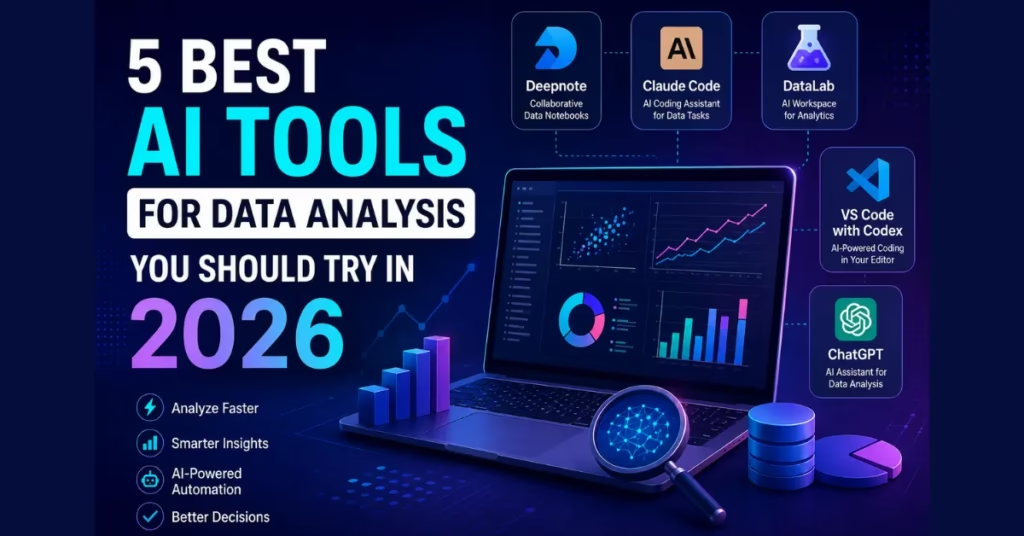
In this article, we are going to look at the 5 Best AI Tools for Data Analysis You Should Try in 2026. We’ll review their main features, advantages, best use cases, and limitations to help you pick the right tool for your workflow. Whether you are new to data analytics or looking to upgrade your current toolkit, this guide will assist you to make a more informed decision.
Best AI Tools for Data Analysis in 2026
1. Deepnote – AI Notebook for Modern Data Analysis
What is Deepnote?
Deepnote is a collaboration platform for modern data science notebooks. Consider it a clever cloud-based office where analysts, engineers, and data scientists can transfer ideas on the same project.
Everyone can just work in a single shared environment rather than have to send notebook files back and forth. It allows team members to write Python code, analyze datasets, create charts and document everything in a single place.
This makes Deepnote especially useful for companies where multiple people contribute to data projects.
Why Deepnote Stands Out
Collaboration is probably the hardest part of data analysis.
Now take the case of three people working on a common sales output — As in Marketing analyst, Business manager, data scientist. Multiple versions of files send by e-mail makes control for the traditional ways harder
This is not a problem on Deepnote, you can move along with ya collaboration just as you edit out some document on the web for several other people to followalong or maybe even your Google docs.
As a result, there are fewer errors, greater collaboration and faster delivery.
AI Features
Deepnote has a couple of AI features that help you accomplish your daily chores easily.
Some useful features include:
- AI code generation
- SQL query assistance
- Automatic explanations of code
- Faster notebook creation
- Smart suggestions for data cleaning
- Interactive visualizations
Instead of going through the documentation every few minutes, analysts could turn to AI directly in the notebook for help.
Best Use Cases
Deepnote works well for:
- Business Intelligence teams
- Financial reporting
- Marketing analytics
- Academic research
- Machine Learning experiments
- Data Science projects
Advantages
- Easy collaboration
- Cloud-based workspace
- Beginner-friendly interface
- Excellent notebook management
- Strong visualization support
- AI-assisted coding
Limitations
Like every tool, Deepnote also has a few limitations.
n all likelihood you will need further integrations for very large enterprise projects, and if this is your first time working with notebooks or Jupyter you may benefit from a little time getting used to it. Fortunately, the learning curve is much more manageable than many traditional notebook environments.
Deepnote: https://deepnote.com/
2. Claude Code – AI Coding Assistant for Data Analysts
What is Claude Code?
Claude Code is an AI coding assistant that helps developers and analysts to write, understand, optimize and debug code.
Recently we had an insight that Claude Code could come in pretty handy for data analysis, it is related to the software development after all.
For modern data analysis, you write through Python scripts, SQL queries, functions for cleaning the data, visualization code, automation workflows …everything. Claude Code can do all of this.
Talk to Claude Code instead of spending thirty minutes debugging a data transformation script
Why Analysts Like Claude Code
Many analysts spend a significant amount of time writing repetitive code.
For example:
- Reading CSV files
- Removing duplicate records
- Filling missing values
- Converting date formats
- Building visualizations
- Creating reusable functions
Claude Code can generate much of this boilerplate quickly, allowing analysts to focus on interpreting results rather than writing repetitive code.
AI Capabilities
Claude Code helps users:
- Generate Python scripts
- Explain existing code
- Debug errors
- Optimize SQL queries
- Create automation scripts
- Build data pipelines
- Refactor large projects safely
A very useful feature is its capability to simply explain complex codes. This is beneficial for beginners who have basic knowledge of Python or SQL.
Example
Suppose you have a sales dataset with thousands of records.
Instead of manually writing data-cleaning logic, you can simply describe the task:
“Remove duplicate customers, fill missing values, convert date columns, and calculate monthly sales.”
Claude Code can generate a structured solution that you can review, test, and refine.
This doesn’t remove the need for human judgment, but it significantly reduces the time spent on repetitive programming tasks.
Advantages
- Excellent coding assistance
- Strong reasoning abilities
- Helpful for SQL and Python
- Saves development time
- Improves productivity
- Easy to understand explanations
Limitations
Claude Code is most effective when users already have a basic understanding of programming concepts. While it can generate code quickly, it’s still important to validate outputs, especially when working with business-critical data.
Claude Code (Anthropic): https://www.anthropic.com/claude
3. DataLab – AI Workspace for Analytics
What is DataLab?
If you like the data side of things but would prefer not to have a 80 hour development environment setup, then DataLab could be one to check out. This platform is a cloud based analytical, visualization and reporting tool.
What does DataLab have going for it (besides a neat interface)? You are not overloaded with too many options; you get a workspace that helps you to zero in on data analysis. Not that, be it you are importing an Excel sheet, or connecting with a database, or just trying to explore a CSV file.
For many professionals, this simplicity is a big advantage. You spend less time configuring tools and more time discovering useful insights.
AI Features
DataLab uses AI to make everyday analysis much easier. Some of its helpful capabilities include:
- AI-assisted Python coding
- Automatic SQL generation
- Data visualization suggestions
- Smart chart recommendations
- Interactive notebooks
- Easy collaboration with team members
Instead of wondering which chart best represents your data, DataLab can recommend suitable visualizations based on the dataset.
Best Use Cases
DataLab is ideal for:
- Business analysts
- Data scientists
- Students learning analytics
- Research professionals
- Marketing teams
- Financial analysts
Advantages
- Easy to learn
- Cloud-based platform
- Built-in AI assistance
- Interactive reports
- Fast visualization creation
- Excellent for teamwork
Limitations
Although DataLab is excellent for most analytics projects, organizations with highly customized enterprise workflows may still require additional integrations with other business intelligence tools.
DataLab (Posit): https://posit.cloud/
4. VS Code with Codex – AI-Powered Coding for Data Analysis
What is VS Code with Codex?
Visual Studio Code : VS code has been the most popular code editor over the years. It also becomes a powerful data analysis and software development environment when used as part of AI coding assistants driven by Codex technology.
For many data professionals, VS Code is already in use—they love it for its support for Python, SQL, Jupyter Notebooks, Git xyz hundreds of cool extensions. It only used to be much more productive with the help of AI assistance.
Hey you! instead of having to go between different documentation, tutorials and search engines you could:
AI Features
VS Code with Codex can help you:
- Generate Python scripts
- Write SQL queries
- Explain complex code
- Debug errors
- Refactor existing programs
- Create data-cleaning scripts
- Build automation workflows
One feature many professionals appreciate is code completion. As you type, AI predicts the next lines of code, reducing repetitive typing and helping you maintain consistent coding practices.
Real-World Example
Imagine you receive a customer dataset containing thousands of records. You need to:
- Remove duplicate entries
- Handle missing values
- Create summary statistics
- Build charts
- Export the cleaned dataset
Instead of writing everything manually, AI can generate much of the required code. You still review and validate the output, but the overall process becomes much faster.
Advantages
- Highly customizable
- Large extension marketplace
- Excellent Python support
- Strong Git integration
- AI-assisted coding
- Suitable for beginners and professionals
Limitations
New users may initially feel overwhelmed because VS Code offers so many features. Spending a little time learning the interface pays off in the long run.
Visual Studio Code: https://code.visualstudio.com/
5. ChatGPT – AI Assistant for Data Analysis
What is ChatGPT?
ChatGPT has become one of the most popular AI tools in various industries over a short period of time. Most people realise it as a conversational assistant but it can also be extremely useful for data analytics.
ChatGPT can do everything — from helping the analyst to clean data, explain statistics, generate Python code, write SQL queries, and summarize reports to recommending what is a better visual of the information.
Think of it as a smart assistant who can show up anytime you need assistance.
Why ChatGPT Is So Popular
One reason ChatGPT has gained widespread adoption is its flexibility. It can assist both beginners and experienced professionals.
For example, if you’re just starting your data analytics journey, you can ask questions like:
- What is regression analysis?
- Explain correlation in simple words.
- Write a SQL query to calculate monthly sales.
- Generate Python code to remove duplicate rows.
On the other hand, experienced analysts can use ChatGPT to optimize queries, automate repetitive tasks, review code, and brainstorm analytical approaches.
AI Features
ChatGPT can assist with:
- Data cleaning
- SQL query generation
- Python programming
- Excel formulas
- Dashboard ideas
- Statistical explanations
- Data storytelling
- Report writing
- Code debugging
- Learning analytics concepts
Best Use Cases
ChatGPT works well for:
- Students
- Business analysts
- Data analysts
- Software testers
- Data scientists
- Project managers
- Researchers
Advantages
- Very easy to use
- Excellent explanations
- Supports multiple programming languages
- Great learning companion
- Saves significant time
- Constantly improving capabilities
Limitations
ChatGPT is very powerful and users should always verify calculations, business assumptions and critical decisions before deploying the result in production environments.
The Future of AI in Data Analysis
AI is not just a trend anymore — AI is now starting to take the place of our modern analytics.
CAI tools far more advanced than today will be available to us somewhere down the road. They will automate basic processes, deliver deeper analytics, build interactive dashboards and finally allow businesses to become data-driven machines that drive decisions faster.
But the human touch will still be vital. AI will never replace Business Context of an asking right question and interpreting results.
ChatGPT (OpenAI): https://chatgpt.com/
Conclusion
Data analytics is one of the fields that see a lot of changes every day, and AI has played an important role to make it very easy to process data.
No matter if you are a student getting to know analytics, a business analyst creating reports or perhaps a data scientist constructing complicated fashions the perfect AI tool can provide second life head of time and assist you in doing exceptional work.
To recap:
- Deepnote is ideal for collaborative analytics.
- Claude Code excels at coding assistance and automation.
- DataLab offers a modern cloud-based analytics experience.
- VS Code with Codex provides a powerful environment for coding and data projects.
- ChatGPT is a versatile assistant for learning, coding, reporting, and problem-solving.
Rather than replacing analysts, these tools empower them to focus on what truly matters—finding meaningful insights and making informed decisions.
If you haven’t explored these platforms yet, 2026 is a great time to start.
FAQs
1. Which AI tool is best for beginners in data analysis?
ChatGPT and DataLab are excellent choices because they are easy to use and provide helpful guidance for new users.
2. Can AI replace data analysts?
No. AI automates repetitive tasks, but human analysts are still needed to interpret data, understand business needs, and make strategic decisions.
3. Is ChatGPT useful for SQL and Python?
Yes. ChatGPT can generate SQL queries, write Python scripts, explain code, and help debug errors.
4. Which AI tool is best for team collaboration?
Deepnote is one of the strongest options for collaborative data analysis and shared notebooks.
5. Is VS Code good for data analysis?
Absolutely. With AI-powered coding assistance, VS Code becomes an excellent environment for Python, SQL, and machine learning projects.
Explore More Posts Here – TOPICS

