
If you are preparing for an interview or if you are someone who is learning Manual Testing or just starting your career in QA then this one of the most significant concepts to understand because almost every software project follows it.
This chapter is All about Understanding Every testing level in simple words with Examples to make it easier to remember.
What Are Software Testing Levels?
Software Testing Levels represent various testing phases where the application is validated stepwise.
Instead of taking up the complete application for testing, testing is broken multiple levels by testers and developers. The objective, responsible team, testing environment and expected outcome is different for each level.
Each of the levels answers a different question.
- Does this individual component work?
- Do different modules communicate correctly?
- Does the full application meet the requirements?
- Have the customer satisfied with an end product?
Software can only be considered ready to ship if it passes all these questions.
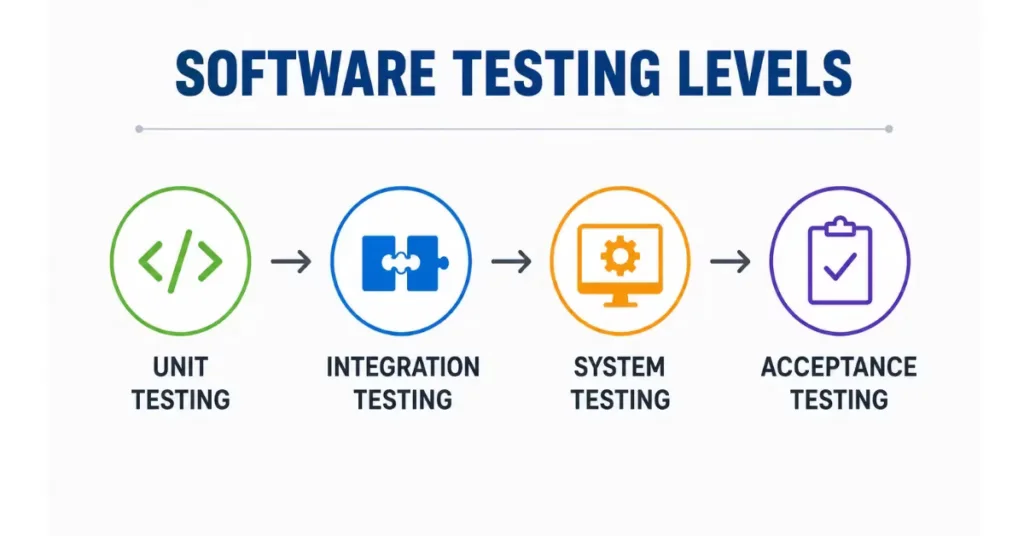
The Four Levels of Software Testing
Almost every software project includes four major testing levels.
| Testing Level | Primary Goal | Usually Performed By |
|---|---|---|
| Unit Testing | Test individual components | Developers |
| Integration Testing | Verify communication between modules | Developers / QA |
| System Testing | Validate complete application | QA Team |
| Acceptance Testing | Confirm business requirements | Customer / Business Users |
Unit Testing
Unit Testing is the first level of software testing.
Here, developers test the smallest individual piece of code called a unit.
A unit can be:
- A function
- A method
- A class
- A module
The objective is simple.
Break your task down into the smallest units possible, and test each unit in isolation to verify it behaves as you expect before composing it with other pieces.
E.g. E-commerce site
The developer is writing different functions for:
- User Login
- Password Validation
- Price Calculation
- Tax Calculation
- Discount Calculation
Every function is tested individually rather than testing the full website at once.
This way, if the discount calculation returns an incorrect result, fixing is possible immediately without affecting any other functionality of the application.
Integration Testing
Once every individual module works correctly, the next question becomes:
Do these modules work properly together?
This is where Integration Testing begins.
Integration Testing verifies communication between different modules.
Sometimes each module works perfectly on its own, but problems appear when modules exchange data.
Example
Consider an online banking application.
Modules include:
- Login
- Account Details
- Fund Transfer
- Transaction History
- Notifications
Each module may work independently.
But when a customer transfers money, several modules interact.
The system should:
- Verify login
- Check account balance
- Deduct money
- Credit another account
- Save transaction history
- Send SMS
- Send Email Notification
If any communication fails, customers experience errors.
Integration Testing ensures these modules work smoothly together.
System Testing
At this stage, after modules have been tested and integrated successfully, testing for the whole application as a single system begins. This level is called System Testing.
Level 4 — System testing: At this level, a QA team tests whole software according to business needs. Testers doesn’t focus on one single feature or a single module but they observe all aspects of the application with an end user view point.
Simply put, this type of Testing answers the following question:
“Does the whole application function as it should?”
Now lets say you constructed some brand NEW house. You have already teste the doors, windows, electric wirings, plumbing and painting separately. Now you get into the house and check if it all fits nicely together. You switch on the lights, open up the taps, padlock your doors, run a Ping checks to make sure there is Internet and ensure every room operates as intended.
Real-Life Example
Let’s take an online food delivery application.
A customer should be able to:
- Register an account
- Log in
- Search restaurants
- Add food items to the cart
- Apply a coupon
- Make payment
- Track the order
- Receive notifications
- Download the invoice
During System Testing, QA engineers verify this complete journey from start to finish. If any step fails, the defect is reported before the software reaches customers.
Acceptance Testing
Acceptance testing is the last level of software testing.
This is the final checkpoint before deploying to production —
Acceptance Testing is a layer of testing with only one simple question from previous levels:
“Is this software ready for the customer?”
At this point, business users, clients or customers check if the application is going with their business requirements/expectations.
If they are satisfied, the contract is approved for production.
Simple Example
Imagine a company has developed payroll software for an organization.
QA can verify that the salary calculations are technically accurate.
On the other hand, HR would like to validate some additional business rules that:
- Post Salary on last working day.
- Calculating tax needs to be according company policies.
- Your payslips must show all these in full.
- Leave deductions must agree to HR records
Only after the HR team confirms these requirements is the software accepted.
Comparison of Software Testing Levels
| Testing Level | Objective | Performed By | Main Focus |
|---|---|---|---|
| Unit Testing | Verify individual components | Developers | Single function or module |
| Integration Testing | Verify communication between modules | Developers / QA | Data flow and interfaces |
| System Testing | Validate the complete application | QA Team | Entire system |
| Acceptance Testing | Verify business requirements | Customer / Business Users | User satisfaction and business goals |
Conclusion
Quality software development entails much more than just writing good code — it is about validating the application at every step along its way. Software Testing Levels are a formalized approach that enables teams detect bugs early in the development life cycle, validate interactions between modules, test for end-to-end solution and most importantly prove that the final product will deliver desirable business outcomes.
From Unit Testing, which tests individual components to Acceptance Testing, where customers approve the software each level has its own role in building reliable applications. Skips any level adds a higher chance of defects going out to production, which creates more expense and less satisfied users.
Be it if you are learning Manual Testing or an already experienced QA, these levels of testing will definitely boost your knowledge in testing and how to be a valuable contributor in building production-ready software.
(FAQs)
1. What are the four levels of software testing?
The four levels are Unit Testing, Integration Testing, System Testing, and Acceptance Testing. Each level verifies the software from a different perspective before release.
2. Why are software testing levels important?
Testing levels help identify defects early, reduce development costs, improve software quality, and ensure the application meets both technical and business requirements.
3. Who performs Unit Testing?
Unit Testing is generally performed by developers because it involves testing individual pieces of source code.
4. Who performs System Testing?
System Testing is usually performed by the Quality Assurance (QA) team to validate the complete application.
5. What is the difference between System Testing and Acceptance Testing?
System Testing verifies that the entire application functions correctly according to technical requirements, while Acceptance Testing confirms that the software satisfies business needs and is ready for customer use.
6. Is User Acceptance Testing mandatory?
For most business applications, yes. It gives stakeholders confidence that the software supports real-world business processes before deployment.
7. Which testing level finds defects first?
Unit Testing is the earliest testing level and often identifies coding defects before they affect other parts of the application.
Click here for more on Software Testing
ISTQB Foundation Level Syllabus
https://istqb.org/certifications/certified-tester-foundation-level/

