
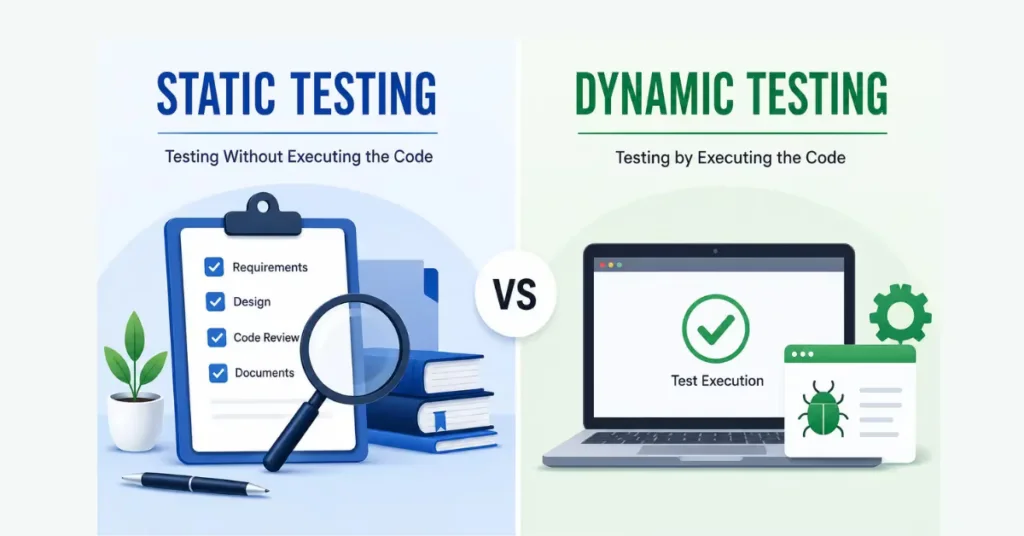
Static Testing and Dynamic Testing
A piece of software application does not get written overnight. All features, requirements, codes and user interactions must be analyzed before we throw the software into customer hands. Late detection of errors is A costly and time-consuming affair.
This is exactly where software testing plays a critical role.
Testing is more than clicking the buttons after you have developed your application. In fact, far earlier than October. Several defects can often be identified even before the developers execute the program by reviewing documents requirements, designs and source code.
This early verification is known as Static Testing.
Once the software is developed, testers execute the application to verify whether everything works as expected. This practical verification is known as Dynamic Testing.
What is Static Testing?
Non-execution-based testing is called as Static Testing.
Static Testing — It means to check Software documents or Design, Requirements or Code without executing the application.
The process in which the testing team looks at project documents, requirement specifications, design documents, user stories, source code and other development artifacts to find defects as soon as possible instead of actually run the Software.
Static Testing primarily aim is to find errors before completing coding and running the application.
It’s similar to editing a book before they publish it. You combed each page for grammar gaffes, typos, paragraphs that need work or just plain erroneous info – everything. But you do not have to print thousands of copies before realizing these problems.
Static Testing Techniques
Static Testing consists of several review techniques.
Each technique has a different purpose.
Informal Review
This is the simplest review method.
One team member casually reviews another person’s work.
There is no predefined process, checklist, or meeting.
It is commonly used for small changes or quick validations.
Example:
A tester asks another tester to quickly verify a few test cases before execution.
Walkthrough
A walkthrough is led by the author of the document.
The author explains each section while team members ask questions and suggest improvements.
The goal is knowledge sharing along with defect detection.
Example:
A Business Analyst explains the SRS document to developers and testers before development begins.
Technical Review
Technical experts evaluate the document from a technical perspective.
Participants may include:
- Developers
- Architects
- QA Leads
- Database Engineers
The focus is on identifying design flaws and technical issues.
Inspection
Inspection is considered the most formal review technique.
It follows a structured process.
Each participant has predefined responsibilities.
A moderator controls the meeting.
Defects are documented, analyzed, and tracked until closure.
Inspection generally finds more defects than other review techniques.
What is Dynamic Testing?
Execution-based testing is called as Dynamic Testing.
We can catch many issues early by reviewing requirements, design documents or source code, but it does not promise the application will behave correctly under pressure (when real users use the application). Not until the software is run will that confidence be gained.
This type of process is known as Dynamic Testing.
Dynamic Testing: Dynamic testing is a software testing method that involves executing the application using test data. The tester analyzes the software, carries out multiple processes, compares and verifies the outputs with respect to the expected outcomes.
Dynamic Testing, in contrast to Static Testing (which is more about preventing defects before execution), is based on finding defects when the software runs.
For example, a login page is so simple. For example, during Static Testing, a reviewer can check if the log in needs are written in document and if coding standards have been followed. Dynamic Testing– The tester opens the application, provides valid and invalid usernames, passwords and clicks on Login button to check if the application responds accordingly.
Dynamic Testing provides the confidence that software behaves as expected under real-world scenarios. It helps reveal problems that cannot be found by simply viewing documents or source code – like calculations going wrong, links breaking, validations failing, performance issues and systems crashing under unexpected load.
Dynamic Testing Process
Test Planning
Everything begins with a well-defined test plan.
At this stage, the QA team studies the Software Requirement Specification (SRS), understands the application’s functionality, identifies testing objectives, estimates the required effort, and prepares the testing schedule.
The team also decides:
- What features need to be tested
- Which testing techniques will be used
- What resources are required
- Who will perform the testing
- What tools will be used
A good test plan acts like a roadmap for the entire testing activity.
Test Case Design
Once the planning is complete, testers create detailed test cases.
A test case describes:
- Preconditions
- Test steps
- Input data
- Expected result
- Actual result
- Test status
Well-written test cases ensure that every functionality is verified consistently, even when different testers execute them.
Test Environment Setup
Before execution begins, the application must be deployed in a suitable testing environment.
The environment generally includes:
- Application Server
- Database Server
- APIs
- Network Configuration
- Test Accounts
- Required Software Versions
If the testing environment does not match the production environment, certain defects may remain unnoticed.
Test Execution
This is the most visible stage of Dynamic Testing.
Testers execute each test case one by one.
They compare:
Expected Result
with
Actual Result
If both match, the test case passes.
If they differ, a defect is reported.
Defect Reporting
Whenever a defect is found, it is logged into a defect management tool such as:
- JIRA
- Azure DevOps
- Bugzilla
- Redmine
A defect report generally contains:
- Defect ID
- Summary
- Steps to reproduce
- Expected Result
- Actual Result
- Severity
- Priority
- Screenshots
- Environment Details
A well-written defect report helps developers reproduce and fix the issue quickly.
Types of Dynamic Testing
- Functional Testing
- Non-Functional Testing
- Black Box Testing
- White Box Testing
- Gray Box Testing
Static Testing vs Dynamic Testing
Although both techniques aim to improve software quality, their approaches are completely different.
The following table highlights the major differences.
| Feature | Static Testing | Dynamic Testing |
|---|---|---|
| Application Execution | Not Required | Required |
| Objective | Prevent defects early | Find defects during execution |
| Performed On | Documents, Requirements, Code | Running Software |
| Main Focus | Verification | Validation |
| Defect Detection Stage | Early SDLC | Later SDLC |
| Cost | Lower | Higher |
| Execution Speed | Faster | Slower |
| Automation | Rare | Common |
| Coding Required | No | Depends on testing type |
| Detects Performance Issues | No | Yes |
| Detects UI Issues | No | Yes |
| Detects Runtime Errors | No | Yes |
| Participants | BA, QA, Developers | QA, Users, Developers |
| Examples | Reviews, Walkthroughs, Inspections | Functional Testing, Non-Functional Testing |
Static Testing and Dynamic Testing in the SDLC
Testing activities (Static and dynamic) does not work in isolation from each other. Both of them get along really well through out the Software Development Life Cycle (SDLC).
In Requirement Analysis phase, business analysts and testers analyze requirement documents to ensure that they are clear, complete, and testable. This is one of the Static Testing.
Design Phase: Architects and developers will review system architecture, database designs, user interface wireframes. Again, this is Static Testing.
During the Development Phase, Developers conduct code reviews and peer reviews to catch coding issues before execution.
Dynamic Testing starts as soon as the development part is completed. Testers run the application, check for any functionality issues, log defects and carry out regression testing until the software is fit to go live.
This lets organizations provide superior software while minimizing total cost of the project.
CONCLUSION
Both Static Testing and Dynamic Testing are essential for proving the acceptable quality of software. Static Testing detects early defects via reviewing requirem ent, designs and code without executing the application while Dynamic Testing checks for correctness of the software by running the application under real world conditions.
These testing methods combined help to enhance software quality, bring down development costs, and gadgets usability. If you are exploring Manual Testing, this knowledge will help you throughout your interviews and in many software projects that you may work on at some point.
FAQS
What is the difference between Static Testing and Dynamic Testing?
Static Testing reviews documents and code without executing the application, whereas Dynamic Testing involves running the software to verify its actual behavior.
Is Static Testing part of Manual Testing?
No. Static Testing is a testing technique, not a testing type. It can be performed manually through reviews and inspections without executing the application.
Which testing is more cost-effective?
Static Testing is generally more cost-effective because it identifies defects early, reducing the effort required during later stages of development.
Can developers perform Static Testing?
Yes. Developers frequently perform code reviews, peer reviews, and technical reviews as part of Static Testing.
Why is Dynamic Testing important?
Dynamic Testing verifies that the software functions correctly under real-world conditions and helps identify runtime defects that cannot be detected through reviews alone.
Is Dynamic Testing always manual?
No. Dynamic Testing can be performed manually or through automation tools. The defining characteristic is that the software is executed.
Click here for more on Software Testing
ISTQB Foundation Level Syllabus
https://istqb.org/certifications/certified-tester-foundation-level/


I appreciate the transparency and the easy navigation of the site. It makes betting so much easier on mxbetmecico.
Hello,📘 New Book: Software Testing – The Complete Guide
From “what is testing?” to acing your QA interview — 245 pages, real project examples, 100+ interview questions, zero fluff.
Perfect for freshers, career switchers & junior testers.
Grab your copy 👇
https://sarambhi.gumroad.com/l/SoftwareTesting